




X-Ray Machine Control Panel Everything You Need to Know | Best Rates | Buying Guide | Detailed Tips | Maintenance | FAQ |
X-Ray Machine Control Panel: Everything You Need to Know
X-ray machines are diagnostic imaging devices of the
highest order, and the control panel is the focal point of all X-ray systems.
The control panel is the mind of the machine that determines how and when the
X-rays are generated.
In this article, we will explain what an X-ray control panel is, what you should look for, and recommend best-rated models for medical application. You are a technician, radiologist, or owner of a clinic, do not worry, this article will help you make the right decision.
What Is an X-Ray Machine Control Panel?
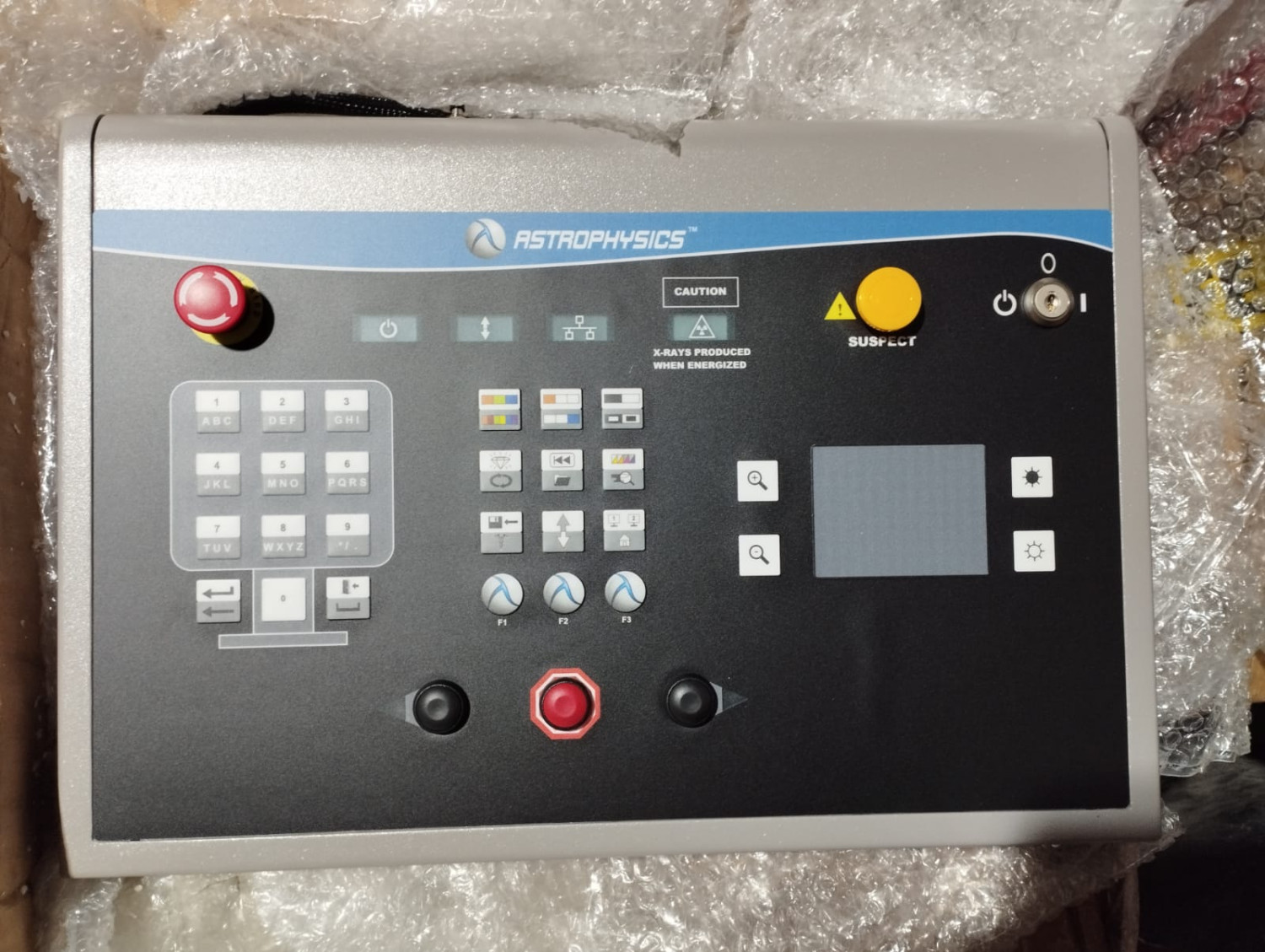
An X-ray control panel is the device radiologic
technologists use to manage the X-ray machine. It regulates:
• Exposure time
• Kilovoltage peak (kVp)
• Milliamperage (mA)
• Image capture mode
• Safety interlocks
It essentially gives the user control over the
intensity, duration, and quality of the X-rays.
Why It Matters
High-quality control panel assures:
• Accurate imaging outcomes
• Patient and operator safety
• Reliability of the system
• Ease of workflow
______________________________________
Types of X-Ray Control Panels
There exist different types of control panels, and
the choice varies with the machine and application.
1. Analog Control Panels
• Use knobs, switches, and analog displays
• Older technology, still in use by some clinics
• Pros: Easy to use
• Cons: Less accurate, not automated
2. Digital Control Panels
• Programmable controls and digital displays
• Prevalent on newer machines
• Pros: More precise, easily programmable,
user-friendly
• Cons: More expensive
3. Touchscreen Control Panels
• Fully digital with user-friendly UI
• Frequently part of PACS/RIS systems
• Pros: Rapid operation, beautiful interface
• Cons: Susceptible to damage, more expensive
________________________________________
Key Features to Look For
When choosing an X-ray control panel, seek out these
features:
✅
Exposure Control Options – Variable kVp and mA settings
✅
Pre-set Programs – Chest, spine, and extremity X-ray default
✅
Digital Readouts – For better accuracy and diagnostics
✅
Safety Interlocks – Stops accidental exposures
✅
Ergonomic Design – Easy to operate on long shifts
✅
Remote Operation – Remote operation possible from outside the X-ray room
✅
Compatibility – Must be compatible with your X-ray generator and detector
________________________________________
Top Product Recommendations
Below are three of the highest-rated control panels
that meet the needs of clinics, hospitals, and mobile units.
_____________________________________
POLESTAR DSAS MK2 Digital X-Ray Control Panel
Pros:
• Installs
and operates flawlessly
• Accurate
digital settings
• Inbuilt
anatomical programs
• Remote
and manual control
• Long
product lifespan
Cons:
• Not
touchscreen-controlled
• More
expensive than base models
Recommended For: General radiography rooms and
mobile X-ray units.
_____________________________________
Amrad Medical Classic Control Console
Pros:
• Analog/digital
hybrid for longevity
• Affordable
• Backward
compatible with older systems
Cons:
• Not
sleekly designed
• Not
highly customizable
Recommended For: Clinics upgrading from old
equipment.
GE Definium 8000 Control Console
Advantages:
•Touchscreen operation of the highest quality
•Automated settings are fully automated
•GE's RIS integrated
Disadvantages:
•Extremely expensive
•May require training
Best for: High-volume radiology centers and
hospitals.
________________________________________
Buying Guide: How to Choose the Right Control Panel
1. Assess Your Imaging Needs
Are you processing high volumes of general X-rays?
Do you need portability or pediatric imaging modes?
2. Verify Compatibility
Make sure that the control panel is compatible with
your existing generator and X-ray tube.
3. User Experience
Choose a panel that is easy to use. Easy controls on
small clinics reduce training time.
4. Budgetary Issues
Budget. Starter machines start at $3,000, and more
sophisticated ones are over $15,000.
5. Compliance with Regulations
Make sure that the control panel complies with local
radiation safety and electrical regulation standards.
Personal Experience & Tips
From working with both analog and digital panels,
I’ve found that digital interfaces dramatically reduce setup time and errors.
One tip: invest in a model with pre-programmed exams. It saves time during
patient setup and improves consistency in imaging quality.
Another pro tip: choose a control panel with remote
functionality if your techs need to operate from a protected area. It adds a
layer of safety and convenience.
________________________________________
FAQs: X-Ray Control Panels
Q1: Can I fit a digital control panel to my analog
X-ray machine?
A: Yes, in the majority of cases you can, but first
establish compatibility.
Q2: How frequently should an X-ray control panel be
calibrated?
A: Usually once a year, or as advised by your local
regulatory authority.
Q3: Is a touchscreen panel superior to a button
panel?
A: Touch panels offer more functionality and faster
operation but button-type panels are more durable in extreme environments.
Q4: Do I need a trained technician to install a
control panel?
A: Installation and setup always need to be done by
trained individuals.
Q5: How long will a control panel last?
A: With proper care, most panels operate effectively for 7–10 years or more.
Final Thoughts
Your control panel is more than just a collection of
buttons—it's the heartbeat of your X-ray imaging system. Your best choice
determines productivity in workflow, image quality, and patient safety.
In replacing or buying new, consider usability,
safety features, and support. A reliable control panel pays for itself in
decreased errors, more exams per hour, and a happy staff.


Ekracargo.com - Your trusted partner in industrial efficiency, providing a wide range of premium quality spare parts at competitive prices.
Contact Info
- Address: House 54 | Road 14 | Sector 14 | Uttara | Dhaka 1230 | Bangladesh
- Phone: Contact: +8801634736139 (WhatsApp) ,+8801789394669 (WhatsApp)
- Email: info@ekracargo.com