





Marine Radar Model 1006 MK220 Setup: Quick Installation & Configuration Guide
Proper setup of Onwa Marine Radar Model 1006 MK220 is the surefire clue to navigation accuracy and target detection while afloat. While different models have their manuals, marine radar installation generally follows a few common steps you can prepare for:

Check the similar product at Ekra Cargo
1. Install the Radar Antenna
Start by selecting an antenna mounting
position well above the waterline and with a clear 360° aspect. The radar
scanner shall be installed parallel to the ship’s keel and away from all heat
sources or obstructions, which could cause blind spots or reflection
interference.
2. Connect Power and Cables
Route the power cable and signal/data
cable from the radar unit to the vessel’s navigation console.

3. Setup Display & Controls With power supplied to the radar, set up the display: range selection (ometr), gain/sea/rain clutter filters, and tuning.
4. Initial Tuning If your radar supports it, go to the menu and use something like Auto Installation Setup-or manual tuning if available-to optimize internal timing, video, and signal balance to your specific installation and length of cable.
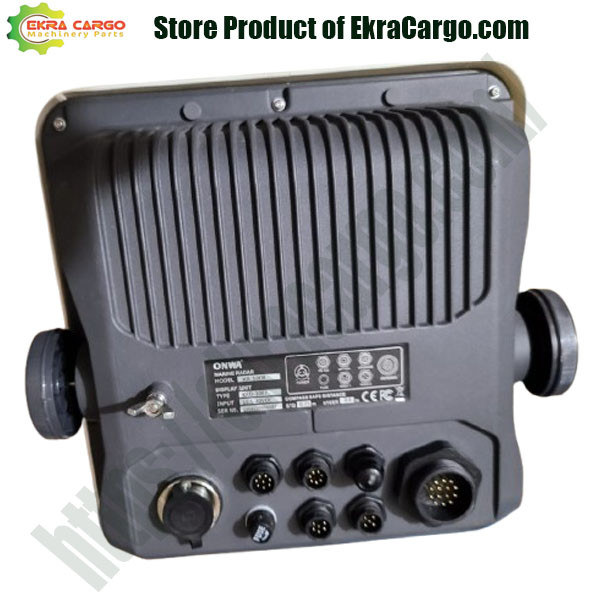
Check the product at Ekra Cargo
5. Test & Calibrate Once the
basic setup is done, perform a sea test in order to check that real targets
(coastlines, buoys, other vessels) appear correctly.


Ekracargo.com - Your trusted partner in industrial efficiency, providing a wide range of premium quality spare parts at competitive prices.
Contact Info
- Address: House 54 | Road 14 | Sector 14 | Uttara | Dhaka 1230 | Bangladesh
- Phone: Contact: +8801634736139 (WhatsApp) ,+8801789394669 (WhatsApp)
- Email: info@ekracargo.com