




Dell Server Racks The Ultimate Guide for Small and Large Businesses | FAQ |
Dell Server Racks: The Ultimate Guide for Small and
Large Businesses
When it comes to IT infrastructure,
choosing the right server rack is just as important as the server itself. Dell
server racks are known for their durability, design flexibility, and
compatibility with various Dell PowerEdge servers. If you’re building a server
room or upgrading your current setup, this guide is here to help.
Let’s break it all down — no jargon, just clear advice!
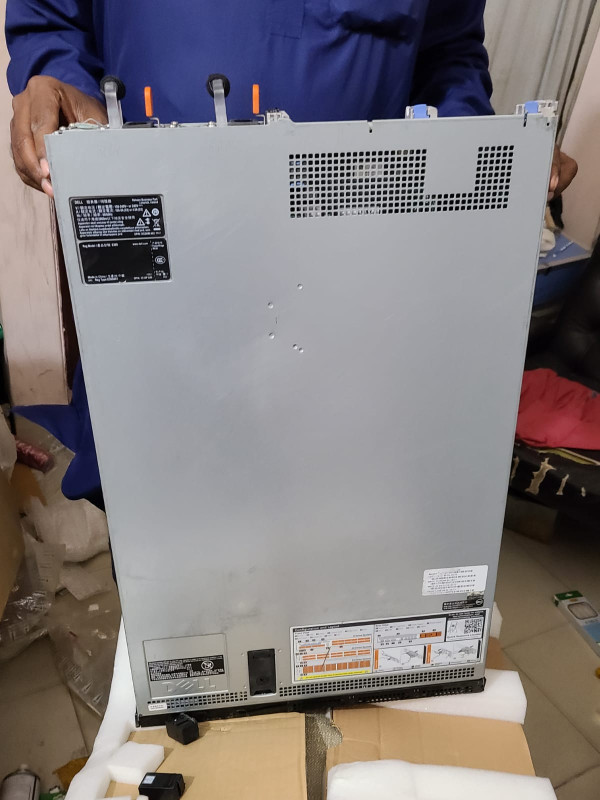
Check the product at Ekra Cargo
What
Are Dell Server Racks?
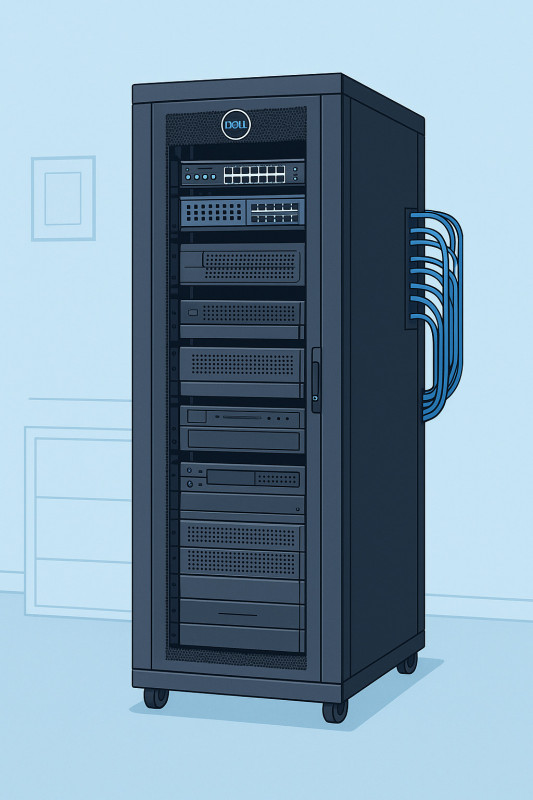
Dell server racks are metal
frameworks designed to house servers, networking equipment, cables, and other
critical hardware. They help you:
- Keep equipment organized
- Improve airflow and cooling
- Reduce hardware damage risks
- Simplify maintenance and upgrades
Dell offers various racks, from
compact wall-mount types to full-sized floor-standing cabinets, making it easy
to scale your setup.
Why
Choose Dell Server Racks?
Dell has earned a reputation for
reliable and scalable IT products. Here’s why many businesses — from startups
to data centers — prefer Dell racks:
- Built for Dell Servers: Perfectly fits Dell PowerEdge and other enterprise
gear.
- Durability:
Made from high-grade steel for long-lasting use.
- Security:
Lockable doors and side panels for extra protection.
- Cable Management:
Organized routes to reduce clutter.
- Cooling-Friendly:
Ventilated design optimizes airflow.
Top
Dell Server Racks — Product Recommendations
1.
Dell 42U Server Rack Enclosure
Best For: Mid-sized businesses and data centers.
Pros:
✅ High-density storage capacity
✅ Pre-installed casters for mobility
✅ Excellent airflow with perforated doors
Cons:
❌ Large footprint — needs ample space
❌ Can be overkill for small offices
2.
Dell 24U Server Rack Enclosure
Best For: Small offices and branch setups.
Pros:
✅ Compact size fits limited spaces
✅ Pre-configured for easy server integration
✅ Durable steel build
Cons:
❌ Limited future expansion
❌ Heavier than similar racks in this size
3.
Dell Open Frame Rack 42U
Best For: Labs and tech testing environments.
Pros:
✅ Open design for maximum airflow
✅ Easy cable access
✅ Cost-effective for temporary setups
Cons:
❌ No physical security
❌ Equipment is exposed to dust
Dell
Server Rack Buying Guide
Before you hit “Add to Cart,”
consider the following:
1.
Rack Size
- Measured in "U" (rack units). One U equals 1.75 inches in height.
- Common sizes: 24U, 42U, 48U.
- Pick a size that allows room for future expansion.
2.
Enclosure Type
- Enclosed racks:
Great for secure, dust-free environments.
- Open frame racks:
Better for budget-friendly, well-ventilated spaces.
3.
Cooling Needs
- Choose racks with perforated doors for better airflow.
- Make sure your space has proper HVAC support.
4.
Weight Capacity
- Check the rack’s weight limit.
- Make sure it can handle your servers, UPS units, and
switches.
5.
Cable Management
- Look for racks with built-in cable pathways.
- Organized cables improve cooling and troubleshooting.
Personal
Experience with Dell Server Racks
When I first set up a small server
room for my freelance design agency, I underestimated the importance of the
rack. I opted for an open frame at first, but dust buildup and cable chaos
quickly taught me a lesson.
After switching to a Dell 24U
enclosed rack, the difference was night and day:
- The server environment stayed clean.
- Cables were neatly managed.
- Security improved, giving me peace of mind.
Whether you’re starting with one
server or planning for growth, a Dell rack is a smart investment.
FAQs
About Dell Server Racks
Q1: Do Dell server racks only work
with Dell servers?
No! While Dell racks are optimized for Dell equipment, they are also compatible
with most industry-standard servers and devices that meet EIA-310 specifications.
Q2: How do I know which size rack I
need?
Count your equipment’s total rack units (U) and add 25-30% extra space for
future growth. For example, if you have 20U of hardware, consider a 24U or 42U
rack.
Q3: Are Dell server racks easy to
assemble?
Most Dell server racks come pre-assembled or with easy-to-follow instructions.
Larger models often ship with wheels or casters for mobility.
Q4: Do Dell server racks offer
security features?
Yes, enclosed racks typically include lockable front and rear doors as well as
side panels for added security.
Check Server racks at Ekra Cargo
Final
Thoughts
A Dell server rack isn’t just a
metal box — it’s the backbone of your IT environment. Whether you’re running a
small business or managing a full-scale data center, choosing the right rack
ensures your servers perform at their best.
Key Takeaways:
- Dell offers sizes and styles for any need.
- Enclosures improve security and airflow.
- Open racks are budget-friendly but riskier for dusty
spaces.
- Think about future expansion when choosing your rack
size.
If you’re serious about protecting
and optimizing your IT investment, a Dell server rack is worth every penny!
✅ Pro Tip:
Don’t skimp on cable management tools and cooling strategies. They’ll save you
time, money, and headaches later!


Ekracargo.com - Your trusted partner in industrial efficiency, providing a wide range of premium quality spare parts at competitive prices.
Contact Info
- Address: House 54 | Road 14 | Sector 14 | Uttara | Dhaka 1230 | Bangladesh
- Phone: Contact: +8801634736139 (WhatsApp) ,+8801789394669 (WhatsApp)
- Email: info@ekracargo.com