




The Ultimate Guide to Camera External Displays Top Picks, Buying Tips & More | Best Rates | Buying Guide | Detailed Tips | Maintenance | FAQ |
The Ultimate Guide to Camera External Displays: Top Picks, Buying Tips & More
Whether you're a seasoned filmmaker or an aspiring content creator, using a cameras external display can drastically enhance your shooting experience. These monitors not only provide a larger screen for better framing and focus but also offer tools like waveforms, zebras, and LUT previews—features not always available on built-in camera screens.
In this blog, we’ll explore everything you need to know about camera external displays, including why you need one, what features to look for, product recommendations with pros and cons, and a handy buying guide to help you choose the right one for your camera setup.
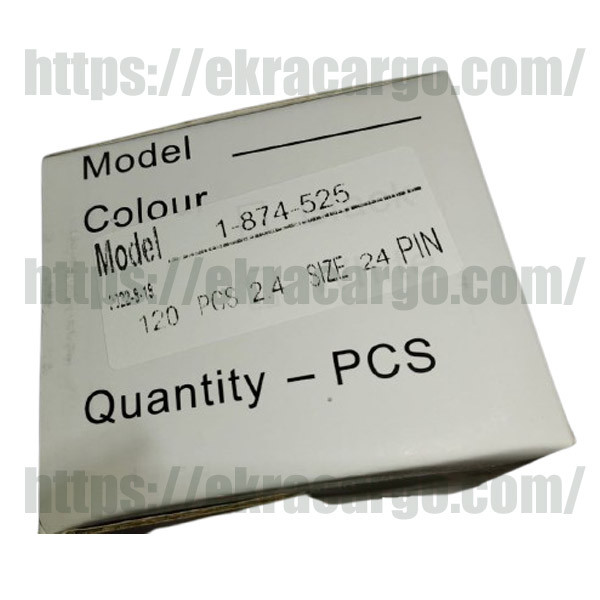
Check the product at Ekra Cargo
Why
You Need a Camera External Display
Built-in camera screens often fall
short when it comes to brightness, resolution, and flexibility. An external
monitor for your camera offers several advantages:
✅
Bigger Screen for Better Composition
An external display gives you a
larger viewing area—typically 5 to 7 inches—making it easier to frame your
shots and check critical focus.
✅
Better Visibility in Daylight
Many external displays come with high
brightness levels (1000+ nits), making them visible even under direct
sunlight.
✅
Advanced Monitoring Tools
Features like focus peaking,
zebras, false color, waveform monitors, histograms, and LUT support are
common in quality monitors.
✅
Flexible Viewing Angles
Mounting options allow you to
position the display as needed, improving ergonomics during shoots.
Top
5 Best Cameras External Displays (2024 Picks)
Here are some of the most
recommended external monitors for cameras, ideal for YouTubers, filmmakers, and
photographers alike.
1.
Feelworld F6 Plus 5.5” Touchscreen Monitor
Resolution: 1920x1080 | Brightness: 500 nits | HDMI
Input/Output: Yes
Pros:
- Touchscreen interface for easy navigation
- Lightweight and portable
- Affordable and beginner-friendly
- 4K HDMI input/output supported
Cons:
- Not bright enough for harsh outdoor light
- Build quality feels plasticky
Best For: Budget-conscious creators and beginners
2.
Atomos Shinobi 5” 4K HDMI Monitor
Resolution: 1920x1080 | Brightness: 1000 nits | HDMI: 4K
Input Only
Pros:
- Ultra-bright screen for daylight shooting
- Color calibration tools built-in
- Professional-grade monitoring tools
- Long battery life
Cons:
- No HDMI output
- Pricier than budget monitors
Best For: Intermediate filmmakers and vloggers
3.
SmallHD Indie 7 Monitor
Resolution: 1920x1080 | Brightness: 1000 nits | HDMI/SDI:
Available
Pros:
- Rugged, high-quality build
- Full-size SDI and HDMI support
- PageOS interface for customizable layouts
- Professional waveform and LUT monitoring
Cons:
- Heavier and bulkier than others
- Expensive for casual users
Best For: Advanced professionals using DSLR or cinema cameras
4.
Portkeys LH5P II 5.5” Monitor
Resolution: 1920x1080 | Brightness: 2200 nits | HDMI/Camera
Control: Yes
Pros:
- Ultra-high brightness (2200 nits!)
- Built-in camera control for select brands
- Supports 3D LUTs
- Excellent for daylight use
Cons:
- Battery drains faster at max brightness
- Camera control limited to supported models
Best For: Outdoor filmmakers and run-and-gun shooters
5.
Blackmagic Design Video Assist 5” 12G HDR Monitor/Recorder
Resolution: 1920x1080 HDR | Brightness: 2500 nits | SDI/HDMI:
Yes
Pros:
- Combines monitor and recorder in one
- HDR display with extremely high brightness
- Professional audio inputs
- Records in Apple ProRes and Avid DNx
Cons:
- Expensive
- Overkill for hobbyists
Best For: Professional filmmakers and broadcast setups
Buying
Guide: How to Choose the Right Camera External Display
1. Screen Size and Resolution
Most external monitors range from 5
to 7 inches, providing a significant upgrade from built-in displays. A Full
HD (1920x1080) resolution is standard, though higher-end models may offer more.
☀️ 2. Brightness
(Nits)
If you shoot outdoors often, choose
a monitor with at least 1000 nits of brightness. Anything less may be
hard to see in daylight.
3. Inputs and Outputs
Make sure the monitor supports HDMI
input (and output if you need to loop to another monitor). Some
professional models also support SDI.
4. Color Accuracy & LUT Support
Look for monitors that support 3D
LUTs so you can preview your footage with specific color grades in
real-time.
5. Monitoring Tools
Helpful features include:
- Focus Peaking
– for sharp focus
- Zebra Stripes
– for exposure warning
- False Color
– advanced exposure check
- Histogram & Waveform – in-depth exposure monitoring
?
6. Power Options
Many monitors support Sony NP-F
batteries, but some can also be powered via DC input or USB-C.
Consider your shooting style and mobility needs.
7. Build Quality
If you're filming on the go, pick a
rugged monitor with durable housing. Touchscreens are user-friendly but can be
more fragile.
How
to Use a Cameras External Display
Setting up an external display is
usually straightforward:
1.
Mount the
Monitor: Use a cold shoe mount or magic
arm.
2.
Connect
via HDMI: Plug one end into your camera’s
HDMI port and the other into the monitor.
3.
Power Up: Attach a battery or plug it in via USB/AC.
4.
Configure
Settings: Set your resolution, enable tools
like peaking, zebras, LUTs, etc.
Who
Needs an External Monitor?
An external display is valuable for:
- YouTubers and vloggers who want to ensure proper framing and focus.
- Filmmakers
needing accurate exposure and color monitoring.
- Wedding or event videographers shooting in unpredictable lighting.
- Photographers
doing tethered shooting or product photography.
- Live streamers
who want a bigger display for real-time feedback.
Recommended
Product: LCD Camera External Display
Key Features:
- 1920x1200 Full HD Resolution
- 1200 nits brightness for daylight shooting
- HDMI In/Out + Loop Through
- 3D LUT support + False Color, Zebra, Histogram
- Wide compatibility with DSLR and mirrorless cameras
- Lightweight design + battery plate included
Why It Stands Out:
Unlike other models, our 7” cameras external display combines professional
features with affordability. It's ideal for creators of all levels and built to
withstand on-the-go shooting.
Pros:
- High brightness for outdoor use
- Pro-grade monitoring tools
- Affordable without compromising quality
- Easy setup and user-friendly interface
Cons:
- No SDI input (HDMI only)
- Touchscreen not included (button control)
[Buy Now – Limited
Stock Available]
FAQs
About Cameras External Displays
❓
Do I need an external monitor if I already have a flip screen?
Yes, especially if you need better
visibility, higher resolution, or more professional tools like focus peaking
and waveform.
❓
Will it work with any camera?
Most external monitors support HDMI
input, making them compatible with DSLRs, mirrorless, and even cinema
cameras.
❓
Can I use it as a monitor and recorder?
Some premium models like Atomos
Ninja or Blackmagic Video Assist offer recording functionality too.
Basic monitors focus only on display.
❓
Do I need an external battery?
Yes, many monitors use Sony NP-F
style batteries or USB-C power banks. Always carry spares for longer shoots.
Final
Thoughts
A camera external display is
a must-have tool if you’re serious about content creation. Whether you're
shooting cinematic videos, vlogging, or doing product photography, a good
monitor can elevate your workflow and output quality.
With so many options available—from
budget picks like the Feelworld F6 Plus to professional-grade choices
like the SmallHD Indie 7—there’s something for every creator.
And if you’re looking for a monitor that combines professional-grade tools, rugged design, and competitive pricing, consider our designed to meet the needs of both beginners and professionals alike.


Ekracargo.com - Your trusted partner in industrial efficiency, providing a wide range of premium quality spare parts at competitive prices.
Contact Info
- Address: House 54 | Road 14 | Sector 14 | Uttara | Dhaka 1230 | Bangladesh
- Phone: Contact: +8801634736139 (WhatsApp) ,+8801789394669 (WhatsApp)
- Email: info@ekracargo.com